
Your Online Business Banking Just Got an Upgrade
We’re introducing a series of improvements to help businesses manage accounts more efficiently and with greater visibility. Here are the highlights of the latest release.
Account Tagging for Smarter Organization
Businesses often manage multiple accounts — now it’s easier to categorize them. You can now add tags, remove tags, and manage tags directly from your Dashboard, Settings, or Account pages. You can also filter and search by tags to quickly find exactly what you need.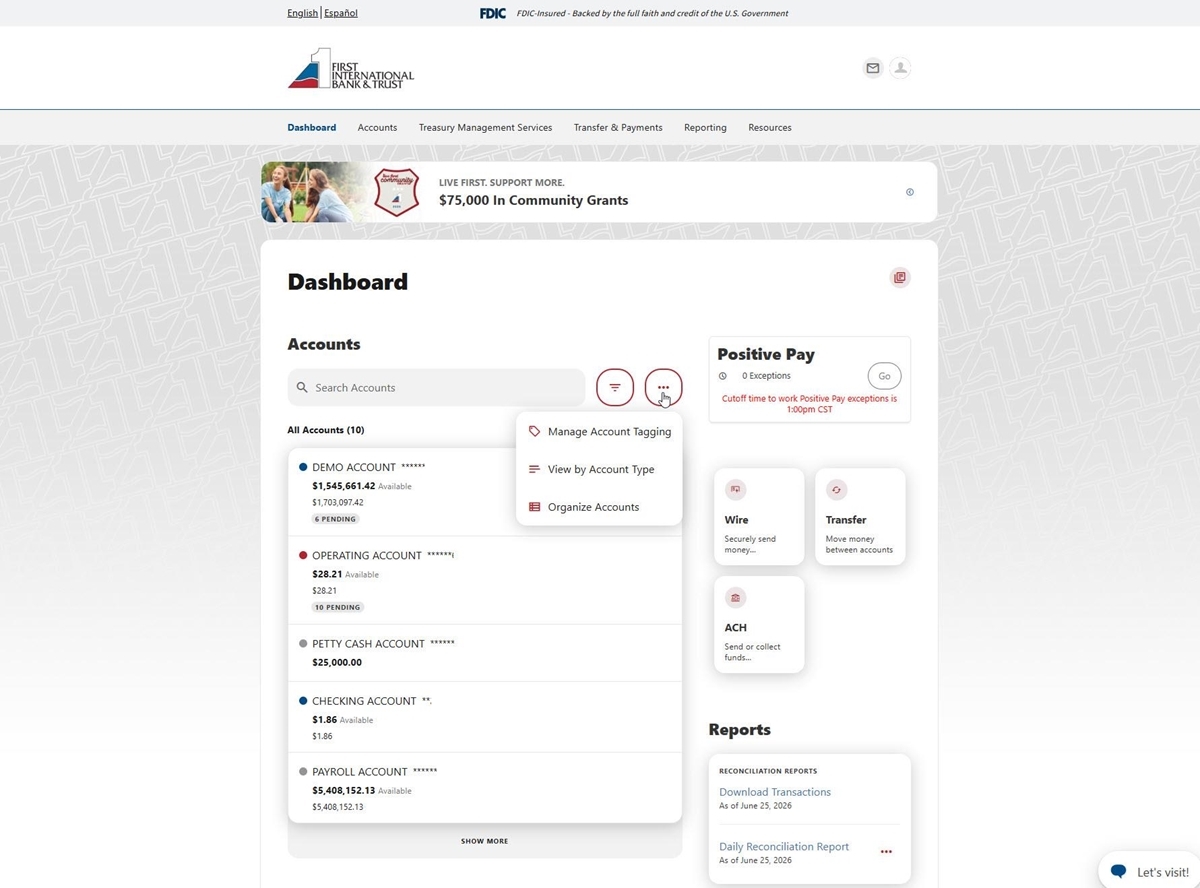
More Powerful Account Search
Your search function now supports dynamic filtering based on account name, account type, balance, and tags. This makes locating a specific account much faster, especially when managing large portfolios.Account Grouping Better Organization
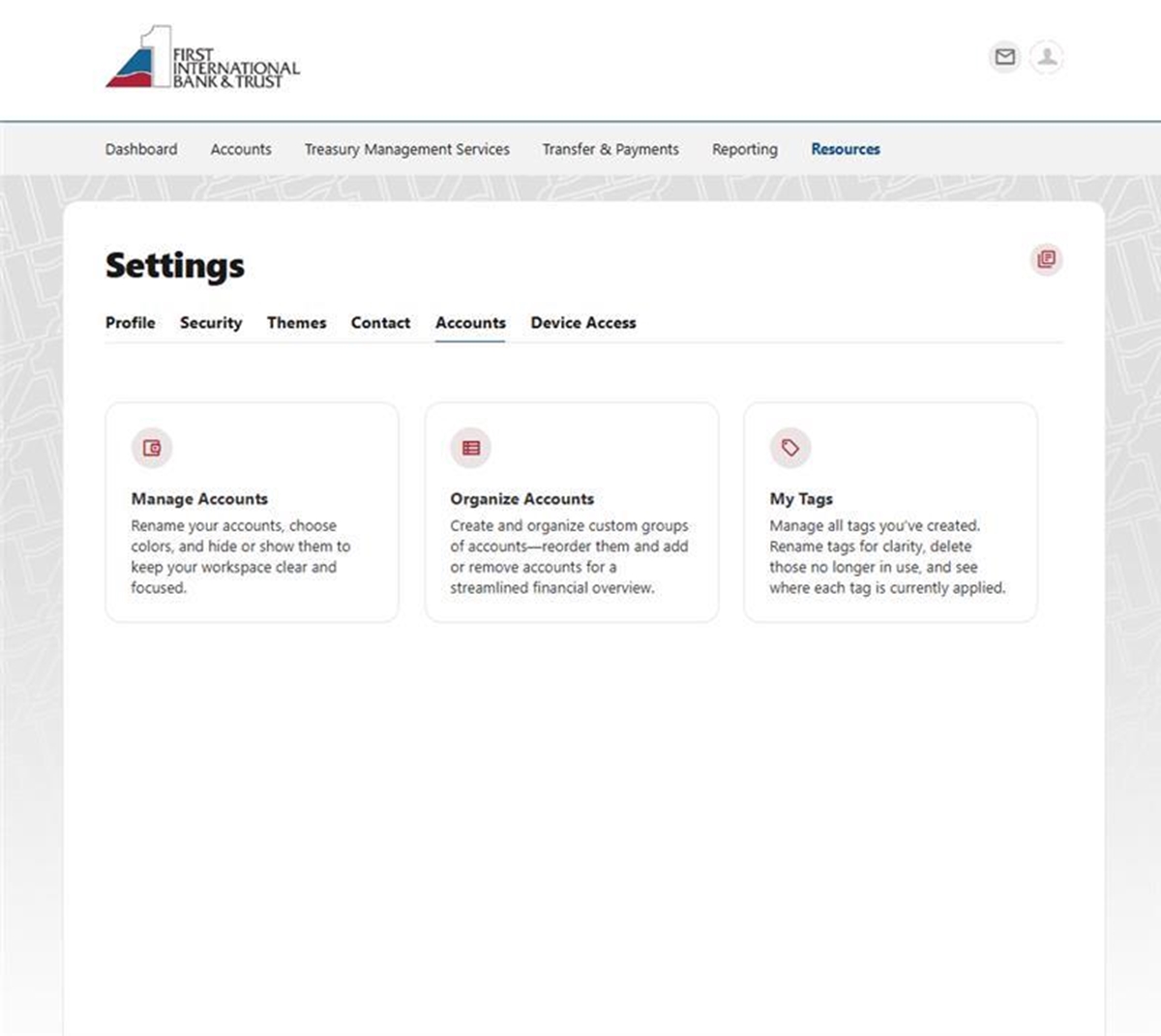
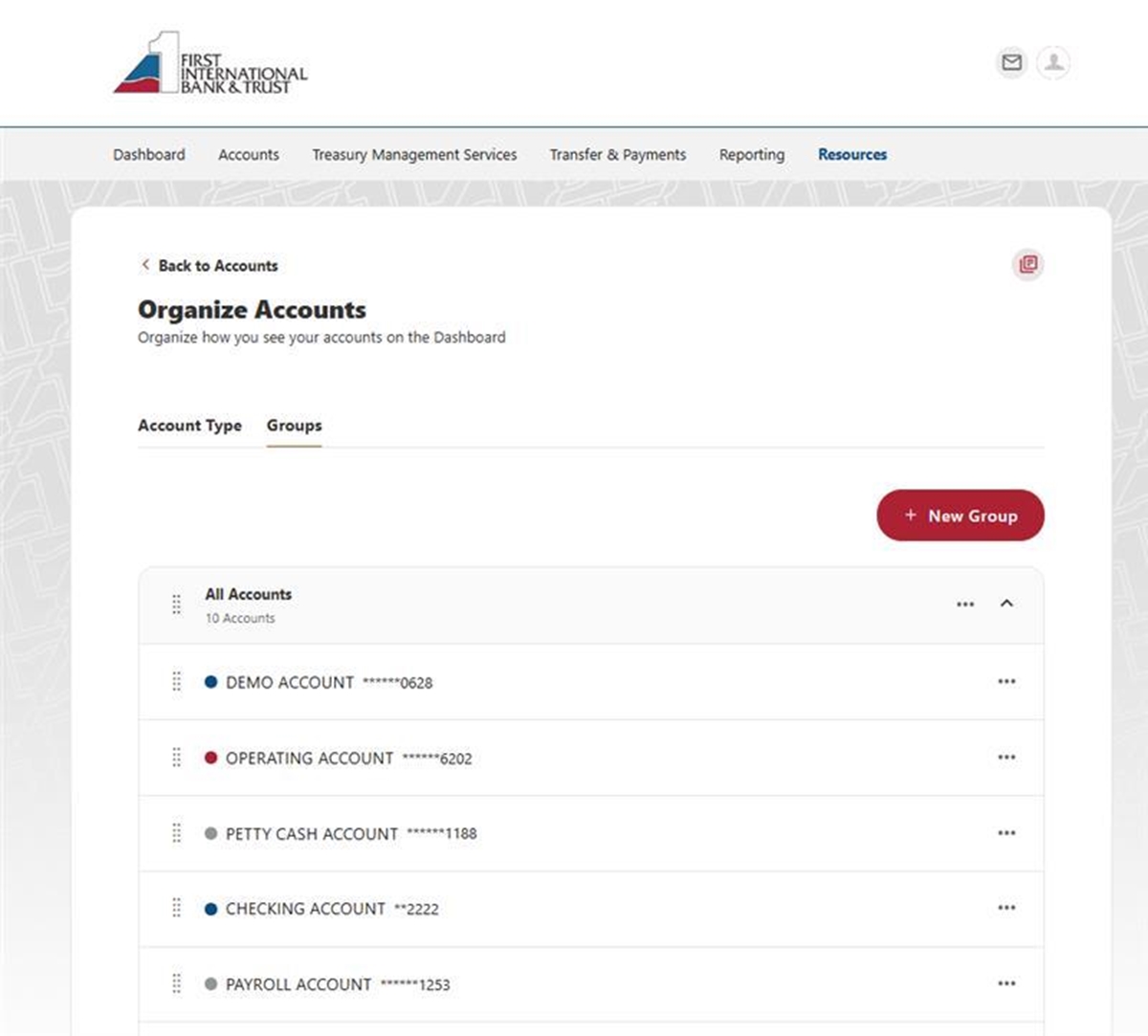
Account grouping gives you more control over how your accounts are organized, so your dashboard reflects the way you manage your money. This feature makes it easier to see what matters most at a glance and navigate your accounts with less scrolling and searching.
Improved Account Details Page
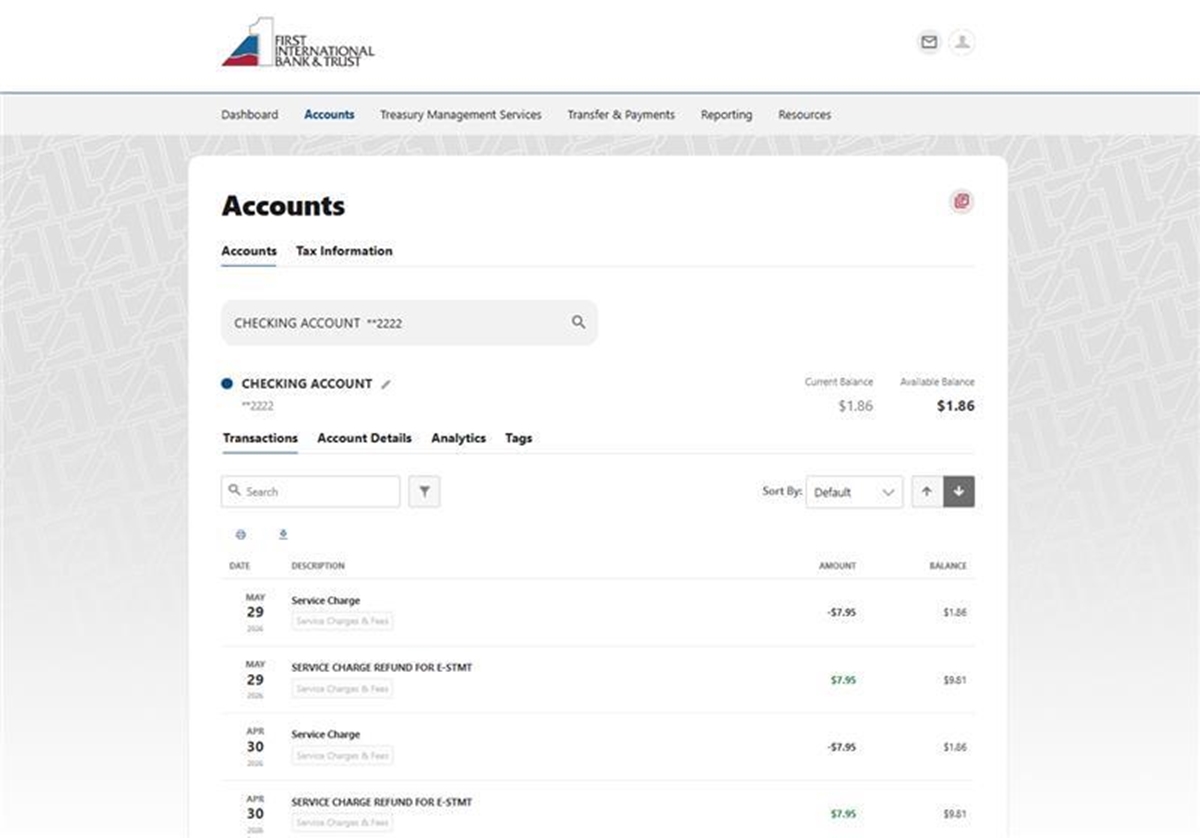
The refreshed page offers a wider, cleaner view and the ability to toggle between all accounts right from the search bar.
All these updates were created to make your everyday banking feel easier, clearer, and more connected. Each new feature works hand-in-hand with the others to help you organize accounts, find information quickly, manage activity, and keep everything secure.
At the heart of every change we make is the same goal: supporting your business and giving you the best banking experience possible.
If you have any questions, please call our Customer Care Team at (800) 359-8092. We’re here to help!